
Live operations
Keep queues, service activity, and team context visible while work is in motion.
Quality and reporting
Connect live operating visibility, historical reporting, and structured quality work so managers can move from signal to action.
See
Live operating context
Review
History and interaction detail
Improve
Structured quality workflows
Management visibility
Use current and historical context to support service decisions, coaching conversations, and a more consistent quality process.
Keep queues, service activity, and team context visible while work is in motion.
Review patterns over time instead of treating each interaction as an isolated event.
Build a repeatable process for selecting, reviewing, and discussing customer interactions.
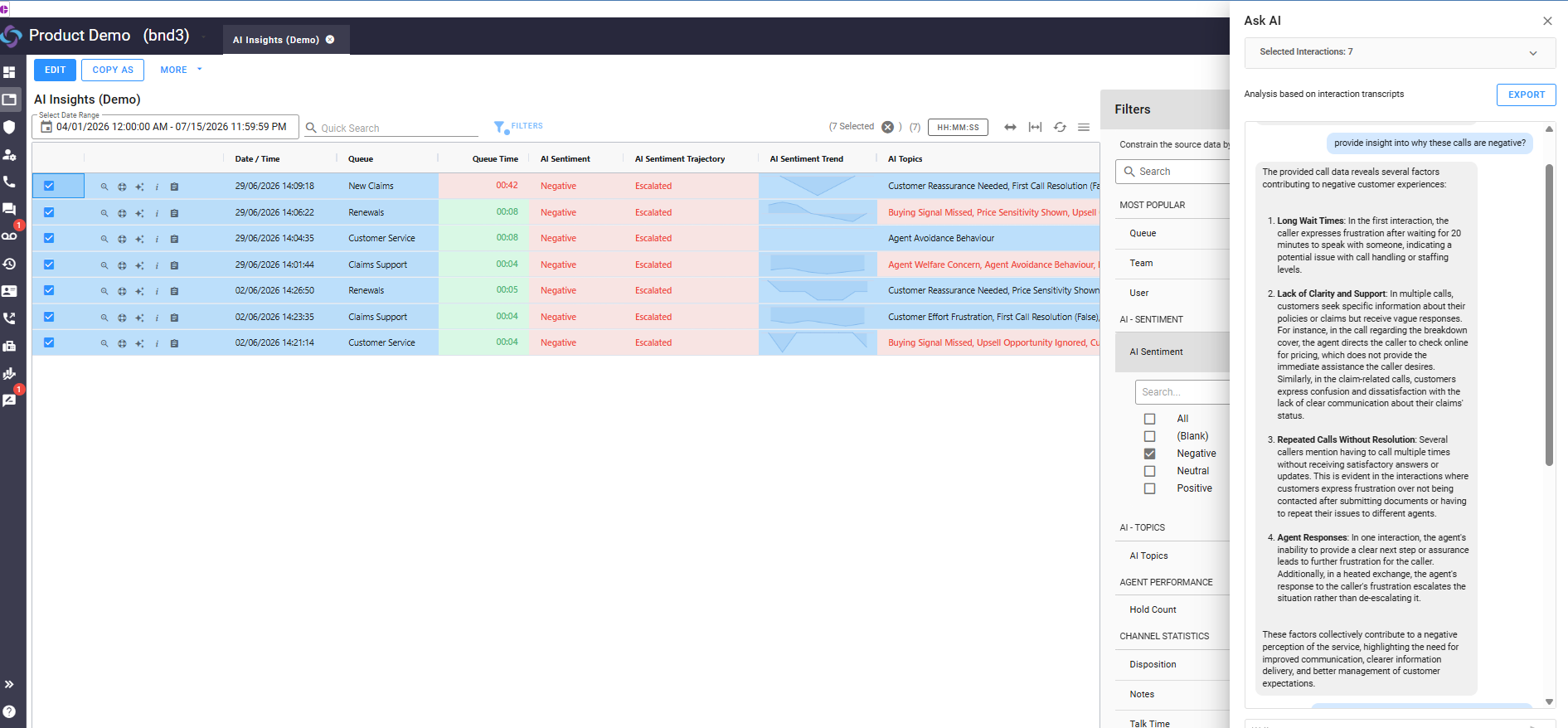
Use transcription and summaries to support review while people remain responsible for conclusions.
Practical assistance
Transcription, summaries, and quality assistance can help teams find context and focus attention. Operating decisions still belong to people.
Review loop
Evaluate the management workflow as a connected loop rather than a collection of reports.
See the queues, service context, and customer work in motion.
Use historical context to identify where closer review may help.
Apply a consistent quality process with the relevant conversation context.
Turn the finding into coaching, configuration, or operating follow-up.
Use the demo to follow one service pattern from live visibility through review and follow-up.
Common questions
Learn more about CCPro contact center quality management and reporting, including real-time visibility, historical reporting, interaction reviews, quality workflows, performance trends, coaching, and AI-assisted insights.
Contact center quality management and reporting evaluate service performance, customer interactions, and operational efficiency across three core functional areas:
CCPro provides real-time dashboards and historical reporting to help managers understand current contact center activity and performance over time. Managers can monitor queues, interactions, agent activity, service levels, and other operational measures, then use historical reporting to identify trends and areas that may require closer review.
CCPro provides comprehensive operational visibility across critical contact center metrics:
CCPro helps teams review customer interactions using interaction details, conversation context, transcription, summaries, and consistent review criteria. These capabilities can help managers identify opportunities for coaching and operational improvement while keeping people responsible for review conclusions and decisions.
Contact center reporting helps teams look beyond individual interactions to identify recurring patterns in service and operational performance. Historical context can show where closer review may be needed, allowing managers to examine relevant customer interactions and determine whether coaching, configuration changes, or other operating follow-up can improve performance.
CCPro gives managers information they can use to connect quality reviews with coaching and operational improvements. Managers can monitor operations, identify performance patterns, review relevant interactions, and use those findings to support coaching, configuration changes, or operating follow-up. This creates a repeatable improvement process rather than treating quality reviews and reports as isolated activities.
CCPro uses practical AI to help teams organize and understand interaction and performance information while keeping people responsible for conclusions and decisions. AI-assisted capabilities include transcription, interaction summaries, and AI-generated insights that can help teams focus attention during the review process. Assisted output serves as input to human judgment rather than replacing it.